How VOXCounts Works
1. Choose Your Grid Size
Select from four layouts (2×3, 2×4, 3×4, 4×4) based on your comfort and communication needs.
2. Pick a Category
Navigate to one of 16 communication categories
Help
Opinions
Urgent Needs
Social Interactions
Physical Needs
Classroom Needs
Feelings
Learning Support
Positive Feedback
Participation
Colors
Numbers
Animals
Food
Life Skills
Faith
Emergency
Alphabet
Science
Humor
3. Tap to Speak
Click an icon to hear the phrase spoken aloud using text-to-speech technology.
4. Communicate with Confidence
Use VoxCounts in class, at lunch, during group work, or anywhere you need to be heard.”
Teacher Implementation Guide
How to Bookmark:
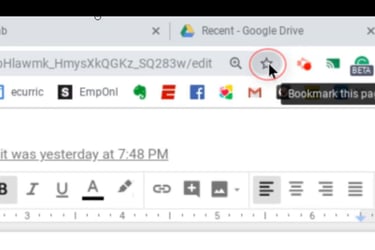
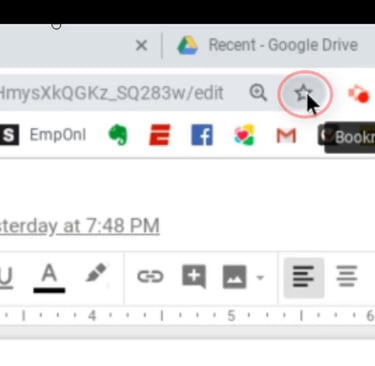
To Bookmark our website on a school-issued Chromebook, you must click the Star icon on the right-side of the website's URL. Then you can rename and save.
How to Bookmark:
To Bookmark our website on a school-issued Chromebook, you must click the Star icon on the right-side of the website's URL. Then you can rename and save.
Quiet Minds Matter
© 2026. All Rights Reserved